
Endpoint Security Management For Win1.0 - Download
You'll be able to download in few seconds.
Publisher Description
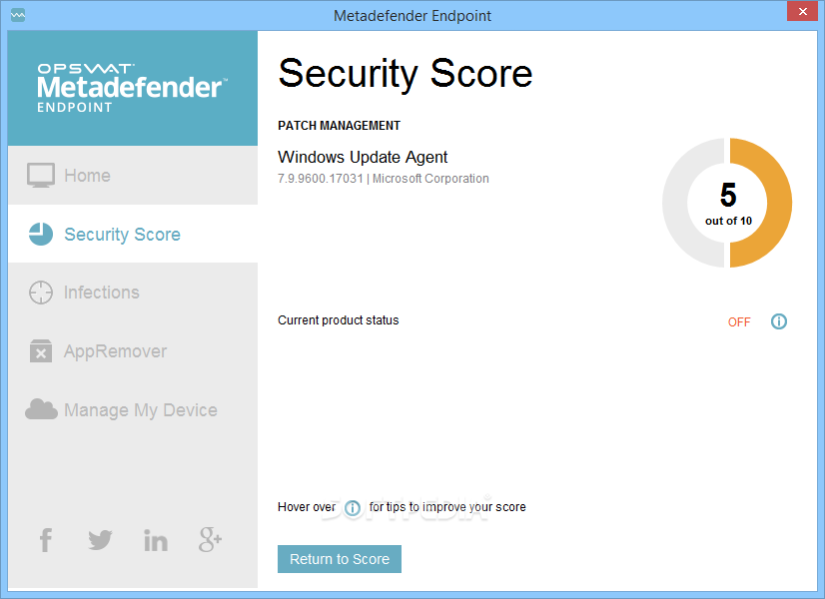
Metadefender Endpoint Management (MEM) leverages the OESIS Framework to verify the security and compliance posture of endpoint devices via static analysis. MEM also exposes APIs to enable third party solutions to consume and react to reported postures.
Compliance checks report the status of:
Encryption
Password protection
Operating System patch level
Anti-malware protection
Patch management clients
Potentially unwanted applications (File sharing, toolbars, etc.)
Endpoint detection response (EDR) clients
And more
Security checks report indications of infection by:
Reporting threats identified by locally installed anti-malware
Reporting reputation of remote connections of the device
And more
Supported endpoint operating systems:
Windows (XP - Windows 10)
Windows Server (2008 - 2012 R2)
OS X (10.8 Mountain Lion newer)
iOS (7.0 newer)
Linux (Debian/Ubtuntu CentOS/RedHat)
Android (4.1 Jellybean newer)
Additional open source support
Metadefender Endpoint Management APIs:
The Metadefender Endpoint Cloud APIs enable developers to integrate security and compliance data available into their own applications. In addition to the security and compliance checks described above, MEM APIs also expose basic system information such as hostname and Mac/IP address.
Technology partner integrations typically include the following solution areas:
Endpoint Detection Response (EDR)
Cloud Application Security Brokers (CASB)
Single Sign-on (SSO)
Network Access Control (NAC)
SSL-VPN
Mobile Device Management (MDM)
Remote Monitoring Management
Proxy
Stand alone public cloud applications
About Endpoint Security Management For Win
This System Maintenance program is available in English. It was last updated on 29 September, 2026. Endpoint Security Management For Win is compatible with the following operating systems: Windows.
The company that develops Endpoint Security Management For Win is OPSWAT, Inc.. The latest version released by its developer is 1.0.
The download we have available for Endpoint Security Management For Win has a file size of 23.1 MB. Just click the green Download button above to start the downloading process. The program is listed on our website since 2016-10-18 and was downloaded 0 times. We have already checked if the download link is safe, however for your own protection we recommend that you scan the downloaded software with your antivirus. Your antivirus may detect the Endpoint Security Management For Win as malware if the download link is broken.
How to install Endpoint Security Management For Win on your Windows device:
- Click on the Download button on our website. This will start the download from the website of the developer.
- Once the Endpoint Security Management For Win is downloaded click on it to start the setup process (assuming you are on a desktop computer).
- When the installation is finished you should be able to see and run the program.
Program Details
System requirements
Download information
Pricing
Version History
version 1.0
posted on 2016-10-18
Bug Fixed
Disclaimer
External Download
We do not host Endpoint Security Management For Win on our servers. We did not scan it for viruses, adware, spyware or other type of malware. This app is hosted by the software publisher and passed their terms and conditions to be listed there. We recommend caution when installing it.
The external download link for Endpoint Security Management For Win is provided to you by apps112.com without any warranties, representations or guarantees of any kind, so access it at your own risk.
If you have questions regarding this particular app contact the publisher directly. For questions about the functionalities of apps112.com contact us.
